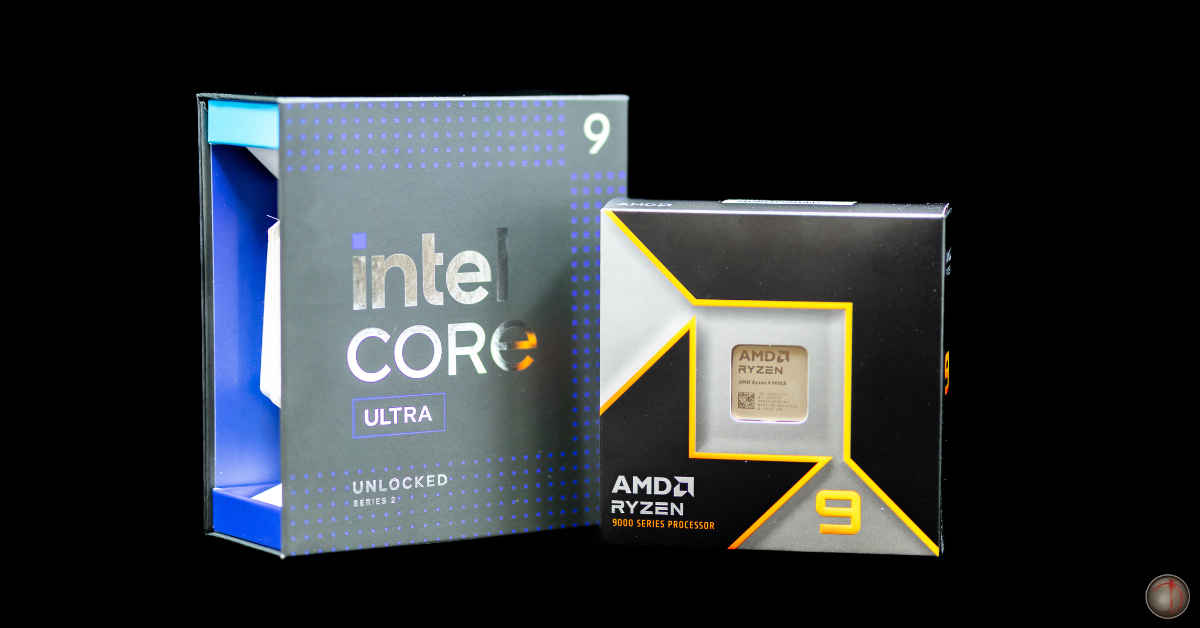
Meet the Parts | The CPU – The Brain Behind the Build
If you’re like us, then you understand that most of the time, we’re talking about graphics and graphics cards. But your GPU can only take you so far. It’s the CPU that can take you even further, keeping everything running smoothly.
So, if your system is starting to feel a little sluggish, struggles to keep up with multitasking, or you think your GPU is bottlenecked, it’s most likely your CPU.
WHAT IS THE CPU?
Let’s start with the fundamentals.
The CPU (central processing unit) is the brain of your system. Managing operating system tasks, installing updates, unpacking downloads, running apps, managing game logic, reading and writing data from and to memory and disks, managing what data your GPU (graphics processing unit) processes, nearly everything that happens in your system involves the CPU in some way.
HOW DOES IT MANAGE TO DO ALL THAT?
Modern CPUs are more than just a processor. They are complex collections of multiple chiplets. Most CPUs include multiple processing cores, an integrated GPU, dedicated hardware video decode and encode engines, hardware AI accelerators, a memory controller, and dedicated lanes for communicating with storage, other chipsets, and even your dedicated GPU.
DOES IT INFLUENCE MY FPS?
A faster CPU will not necessarily give you more FPS, but if your CPU cannot handle the operating system, background tasks, game logic, managing storage and memory calls, it will not be able to feed your GPU the data it needs to generate new frames quickly enough.
WHAT SHOULD I UPGRADE FIRST? CPU? GPU?
Want more frames per second in your favorite game? Time to upgrade your graphics card. Upgraded your graphics card, but your GPU utilization and frame rate are still low? It might be time to upgrade your CPU
I WANT TO UPGRADE MY CPU. WHICH ONE SHOULD I CHOOSE?
CPUs come in many different flavors. When shopping for a CPU, you might run across these specifications:
Frequency, also known as Gigahertz, is a measurement of how many cycles your CPU can manage per second. Higher is generally better, and there is no downside to having a higher frequency. When shopping for a CPU, you can directly compare frequencies among CPUs from the same manufacturer (Intel or AMD). Frequency comparisons between Intel and AMD CPUs are not apples-to-apples.
Core count is the number of physical individual processing units your CPU includes. Modern CPUs always have multiple cores. Generally, more cores are better, but there is a limit to the benefit they provide for any workload. Cores can be further divided into Performance cores and Efficiency cores.
Performance cores are large, fast, and more capable. These are high-power, high-frequency, and capable of handling more complex tasks. Your games and active applications will run directly on these cores. These cores will also be used for more complex or demanding workloads like rendering, video editing, image manipulation, and 3D design. These cores are used first.
Efficiency cores are smaller, more power-efficient, and less complex. These cores handle background tasks and other applications that are running but not actively used. These cores can also help with multi-core-aware workloads, but will be used only after performance cores have been loaded.
Threads are the number of lanes a CPU has for intaking and processing data at a time. Modern Intel CPUs allocate one thread per Performance core and one thread per efficiency core. Modern AMD CPUs allocate two lanes per core and include only Performance cores, not Efficiency cores. Thread count, like frequency, can be directly compared from the same manufacturer (Intel or AMD). Comparisons between Intel and AMD CPUs are not apples-to-apples.
Games generally only benefit from more and faster Performance cores.
The best CPU isn’t the most expensive or the top-of-the-market, but the one that fits your workload and everything you want to do.
Whether you’re upgrading your system or looking for a brand new one, choosing the right CPU is important, not just what looks good on paper, but what makes a system balanced.
Not sure if your CPU is holding your system back? Whether you’re upgrading or looking for a fully built system, we can help you find the right balance, without overbuilding or overspending.
Next up in our Meet the Part series, we’ll break down the component that handles everything you actually see on screen—and why pairing it correctly with your CPU matters more than most people think.
Contact Us:
Email: podcast@doghousesystems.com
Leave us a voicemail: 214-810-4347
Direct Message: Instagram | Facebook | X (formerly Twitter) | Threads
Tags:
© 2026 DogHouse Systems, Inc.